Secure your home router in ten minutes
Everything in your home reaches the internet through the router. Anyone who gets into it can see where your devices connect, send you to fake sites and reach every device on your network. Most of the fixes take a few minutes.
Open 192.168.1.1 or 192.168.0.1 in a browser. The exact address is usually printed on the label under the router, along with the username and password if you’ve never changed them.
The first thing to change is that admin password, the one you just signed in with, not the Wi-Fi password. Default passwords for every model are easy to find online. Then, in the wireless settings, choose WPA2-PSK (AES) or WPA3 and stay away from WEP, WPA and TKIP. For the Wi-Fi password itself, four or five random words work better than a short jumble of characters. They’re stronger and easier to type on a TV.
A few features are better switched off. WPS, which pairs devices with a button or PIN, is handy but has a long record of security problems. Remote management, sometimes called WAN access, is rarely needed at home. UPnP lets any program on your network open a port to the internet, so if your games and apps work without it, turn it off.
Look for Firmware upgrade or System update and bring the router up to date, since many never update on their own. While you’re there, set up a guest network for visitors and for smart devices like plugs, cameras and TVs, so they can’t see your computers.
Changing the password means every device has to reconnect, which makes it a good time to see what’s actually on your network. Neshta’s Devices page lists each device with its maker and name.
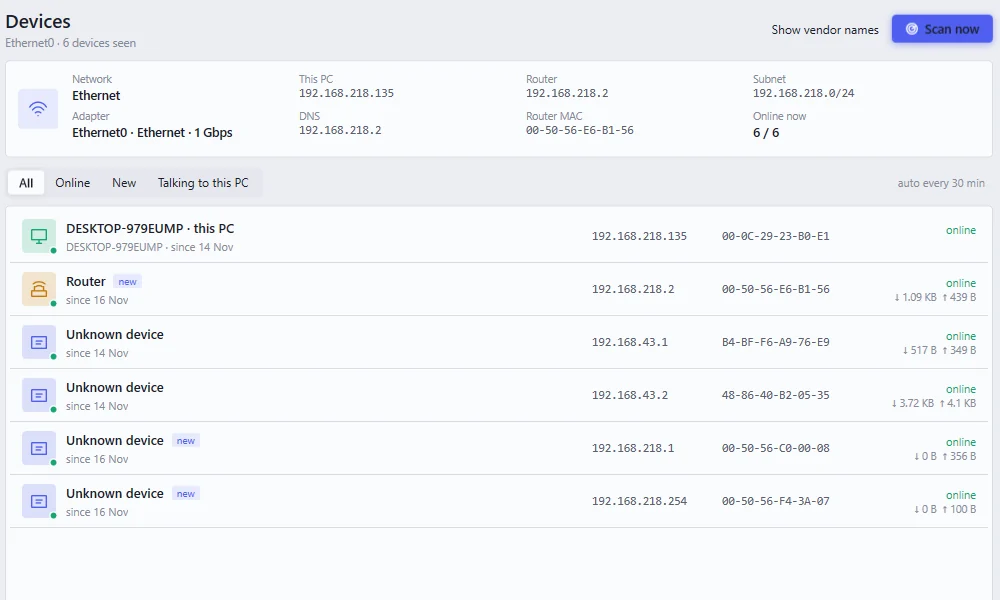
More in seeing who’s on your Wi-Fi.