What happens to your traffic when the tunnel drops
Tunnels drop, sometimes for a few seconds when you switch networks and sometimes for minutes when the server has a problem. What matters is where your traffic goes in the meantime.
To Windows, the tunnel is just one more network adapter. When it goes down, Windows moves on to the next one, your Wi-Fi or cable, without asking. Browsers, messengers and background apps reconnect straight away, and this time they use your real IP.
You rarely notice. Pages keep loading and messages keep arriving, but every site and service you used in that gap saw your real address. Now and then there’s a sign of it: a site suddenly shows content for your home country, or a service emails you about a sign-in from a new place.
Keeping the internet blocked until the tunnel is back
The answer is to block the internet the moment the tunnel drops and unblock it when the tunnel reconnects. Some tunnel apps have a switch for this, but it usually only works while that app is running. If the app is closed or crashes, or Windows starts before the tunnel connects, traffic still gets out.
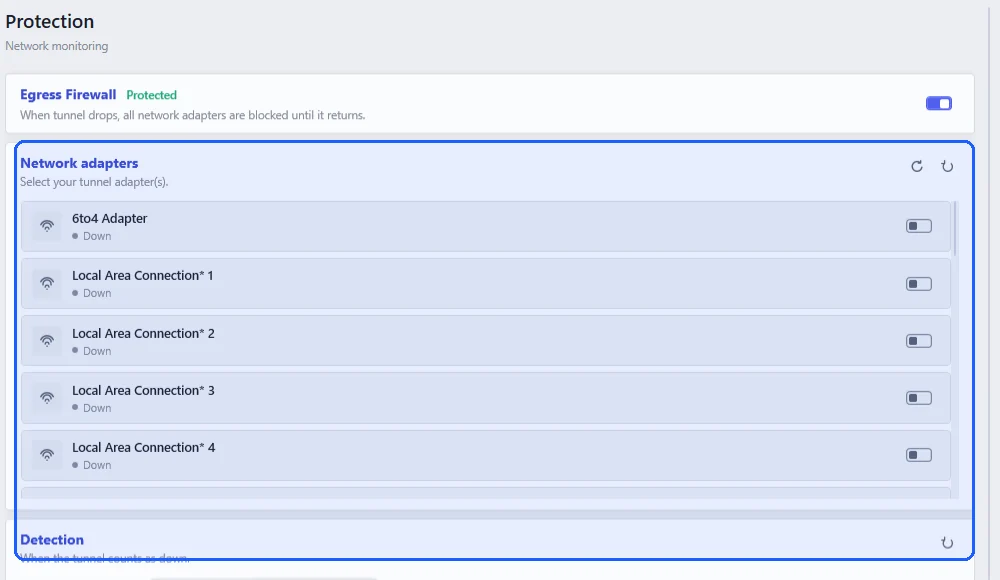
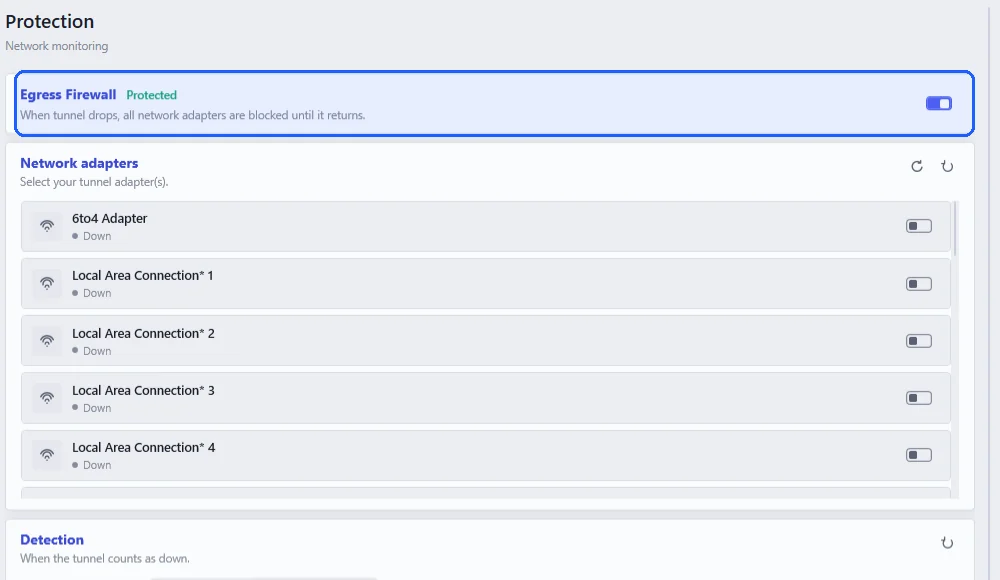
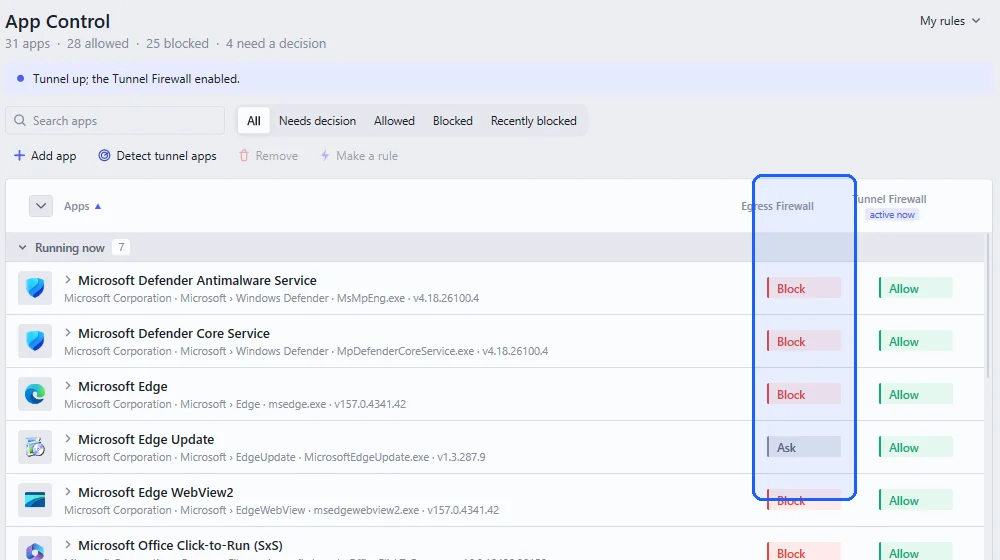
Neshta’s Egress Firewall runs inside the Windows firewall, so it works with any tunnel app, survives a restart and doesn’t need a Neshta window open. To set it up, pick your tunnel’s adapter in Protection and switch the Egress Firewall on. Then check in App Control that your tunnel app is allowed in the Egress Firewall column, so it can reconnect by itself.
From then on nothing changes while the tunnel is up. When it drops, the internet stays blocked until it’s back, while your local network, printers and shared folders included, can stay available if you need it.
A quick way to test it is to start a large download and disconnect the tunnel halfway. The download should stop immediately. If it doesn’t, or Neshta notices the drop late, see setting up tunnel detection.